Free on iOS, Android & Windows
Download Kinyo Business
Manage dine-in, pickup, and delivery orders from your phone or Windows PC. No extra hardware, no commissions — built for cafés and restaurants in Nepal.


- Free forever
- No commissions
- Setup in minutes
Run Kinyo on your counter PC
Prefer a larger screen at the front desk or back office? Install the Windows app and manage orders alongside your mobile setup. Works on Windows 10 and 11.
Built for your business
Everything you need, in your pocket
Kinyo Business gives your team one place to run orders, menus, and daily operations — on mobile or Windows, without a fixed POS terminal.
Live order management
Track dine-in, pickup, and delivery orders in real time from any phone.
Instant notifications
Kitchen and front staff get alerted the moment a new order comes in.
Menu you control
Update items, categories, pricing, and availability in minutes.
Sales insights
See order volume, peak hours, and product performance at a glance.
Team & branches
Add staff, assign roles, and manage multiple locations from one account.
Receipt printing
Send tickets to your kitchen printer straight from the app.
Quick start
Up and running in under 10 minutes
Download the app on your phone or PC, add your menu, and start taking orders — no technical setup required.
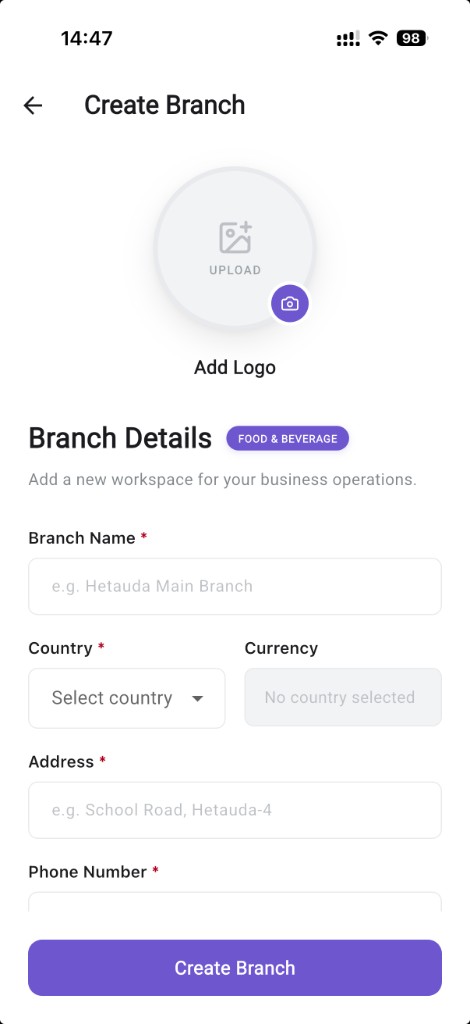
01
Download the app
Install Kinyo Business free on Android, iOS, or Windows.
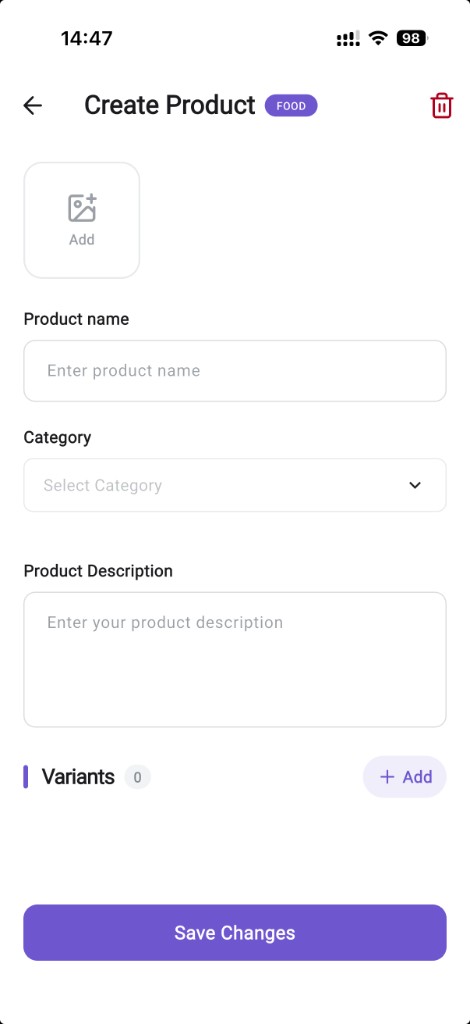
02
Set up your menu
Add your items, categories, and prices — changes go live instantly.
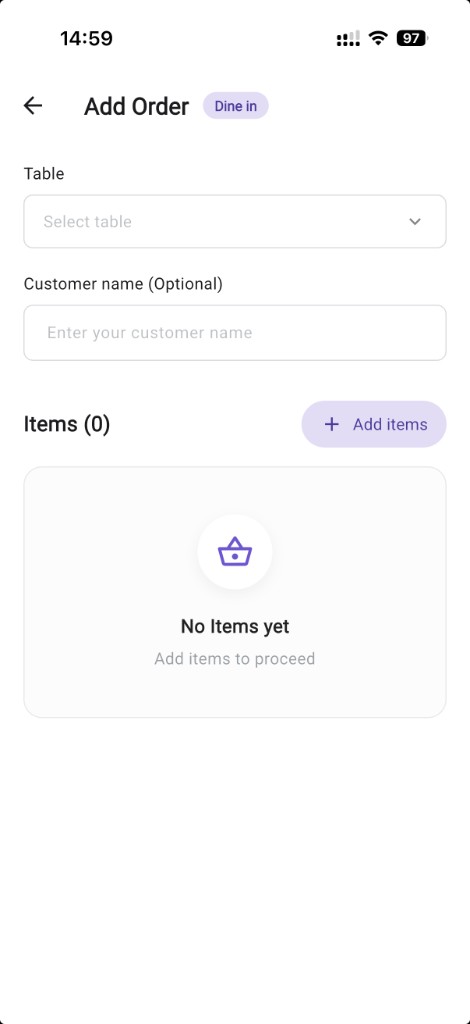
03
Start taking orders
Dine-in, pickup, and delivery flow into one queue your team can act on.
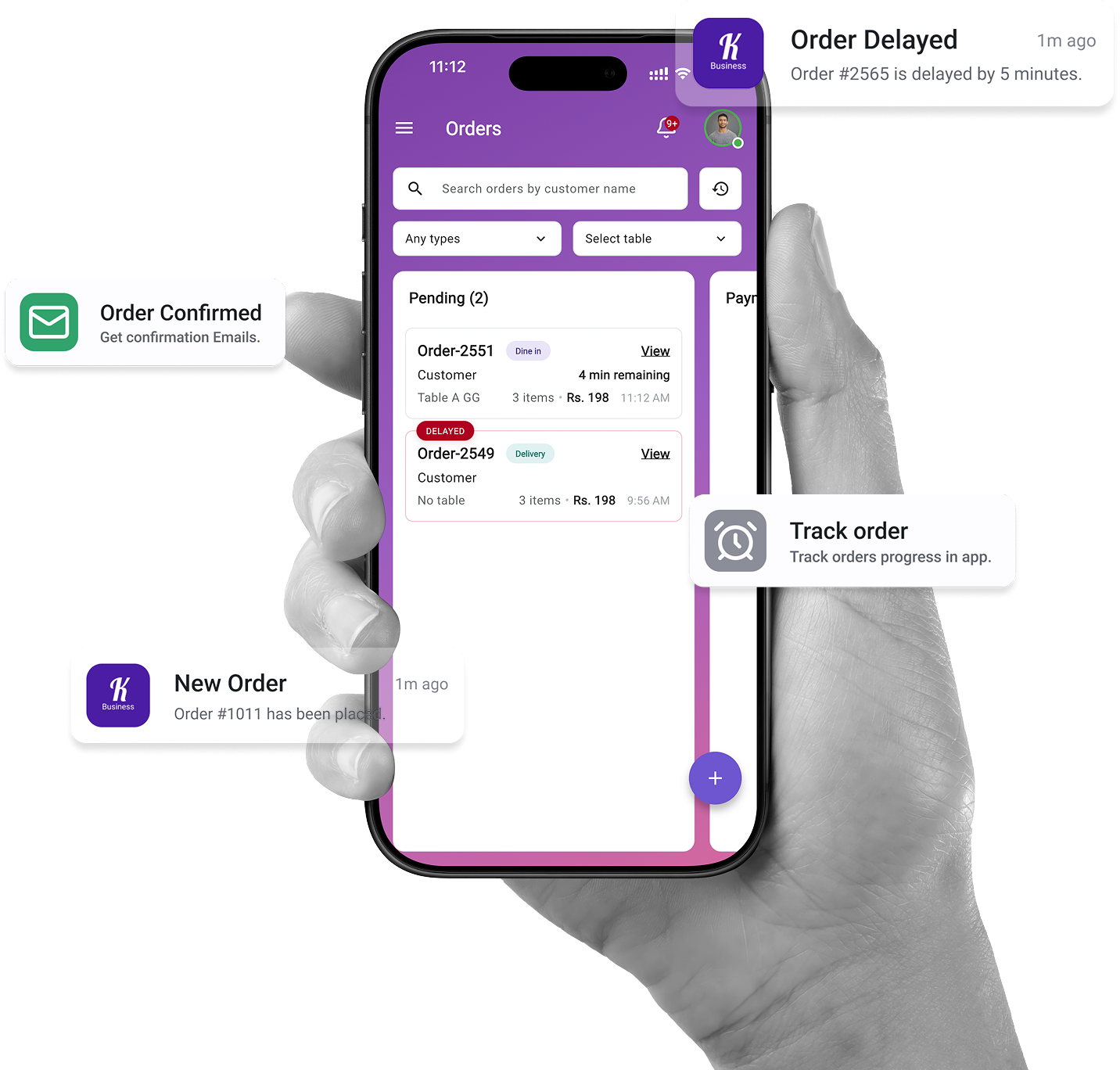
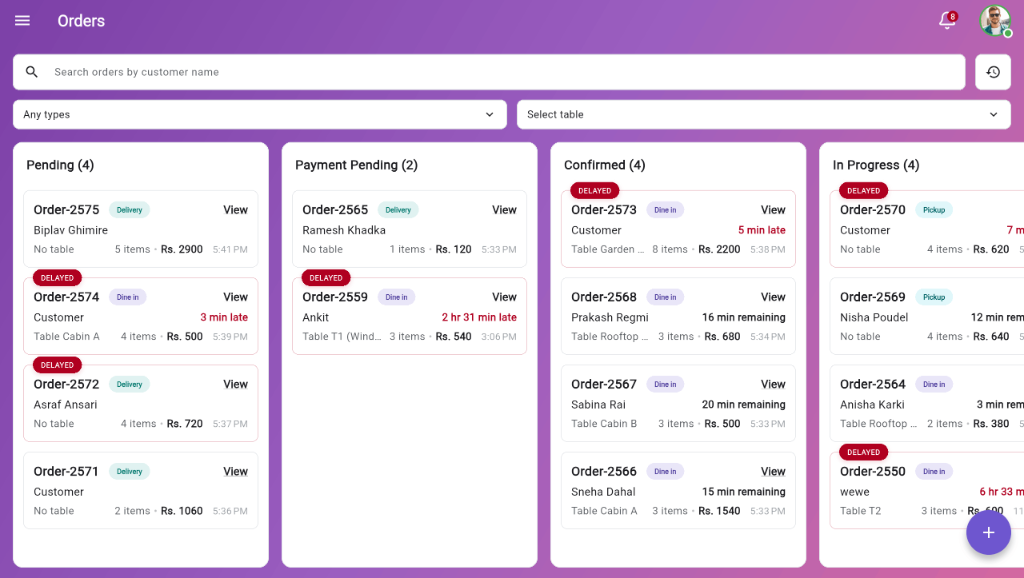
Orders dashboard
See every order at a glance
Pending, in progress, and completed orders in one view. Filter by type, search by customer, and spot delays before they become problems.
Free to start. No credit card required.
Join cafés and restaurants across Nepal already running on Kinyo. Download on mobile or Windows, or sign up on the web to create your branch.